Product 01 · Work / Organisation
Handover &
Incident Tracking
Keep handovers, events and follow-up in one place.
For small residential teams with regular shifts and handovers. Record, find and follow up on everyday work on your own Windows computer.
01 / Start the shift
Start the shift.
Keep work moving.
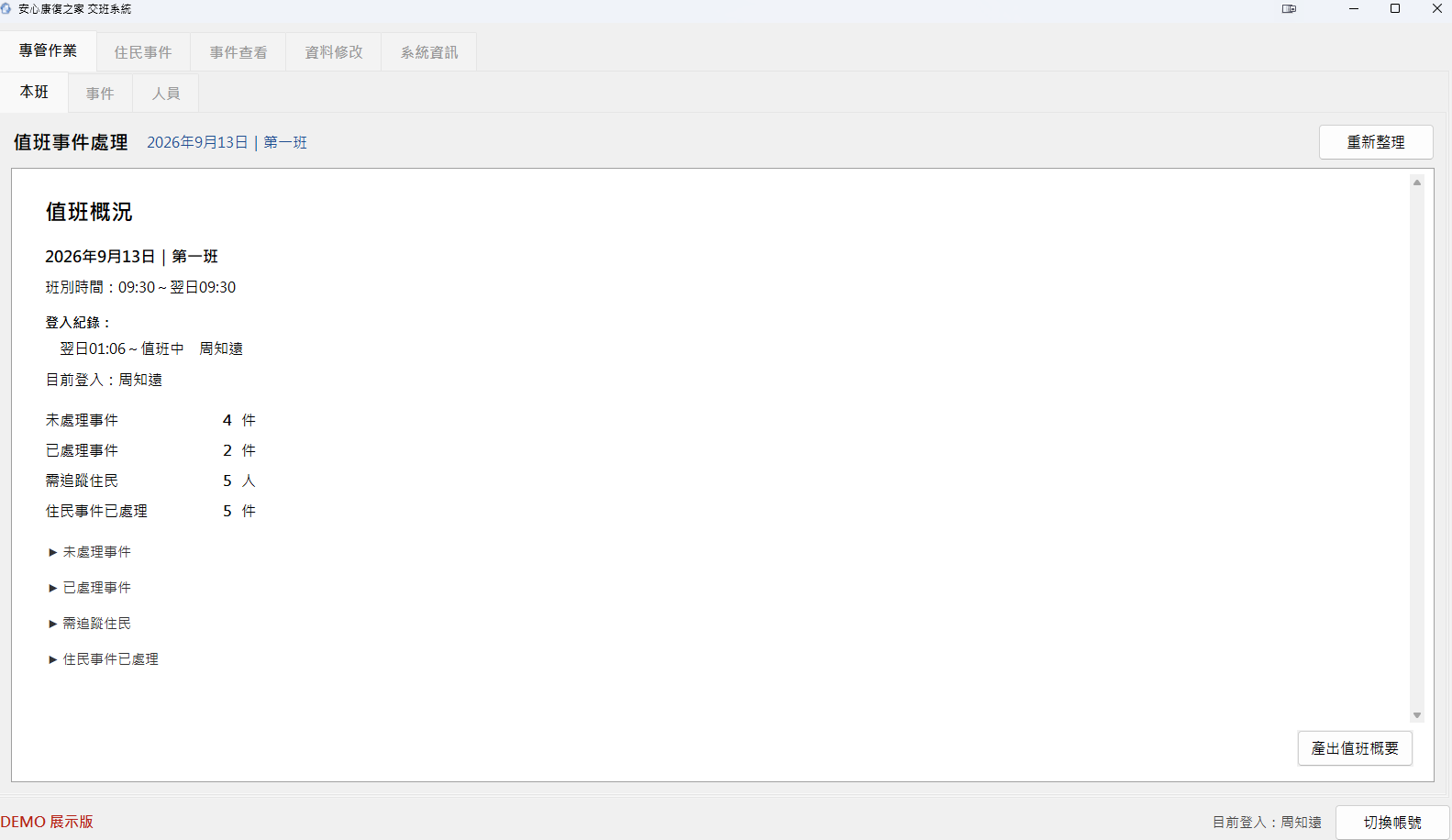
Start by checking matters that need follow-up. Record new events and add progress during the shift, then find earlier records by date, status or keyword when you need them.
Copy the shift summary to the clipboard to share it in LINE or a work group, and save an Excel file at the same time for your records.
02 / Build the timeline
From the first event
to each follow-up
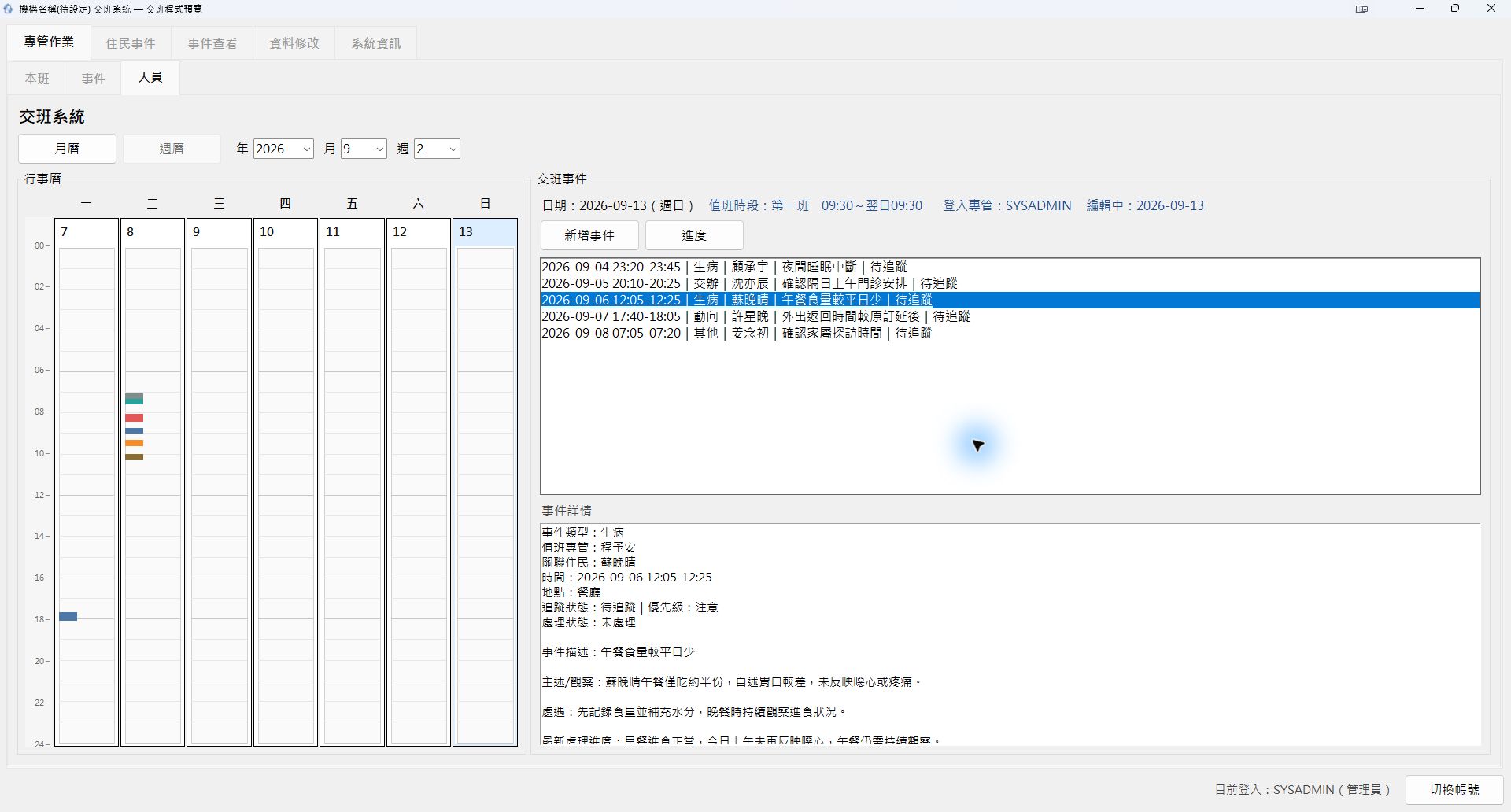
Create service-user events in the weekly handover view. Select an event to review observations and actions taken, and add follow-up progress to build a timeline of ongoing work.
03 / Find the context
Find the event.
See the follow-up.
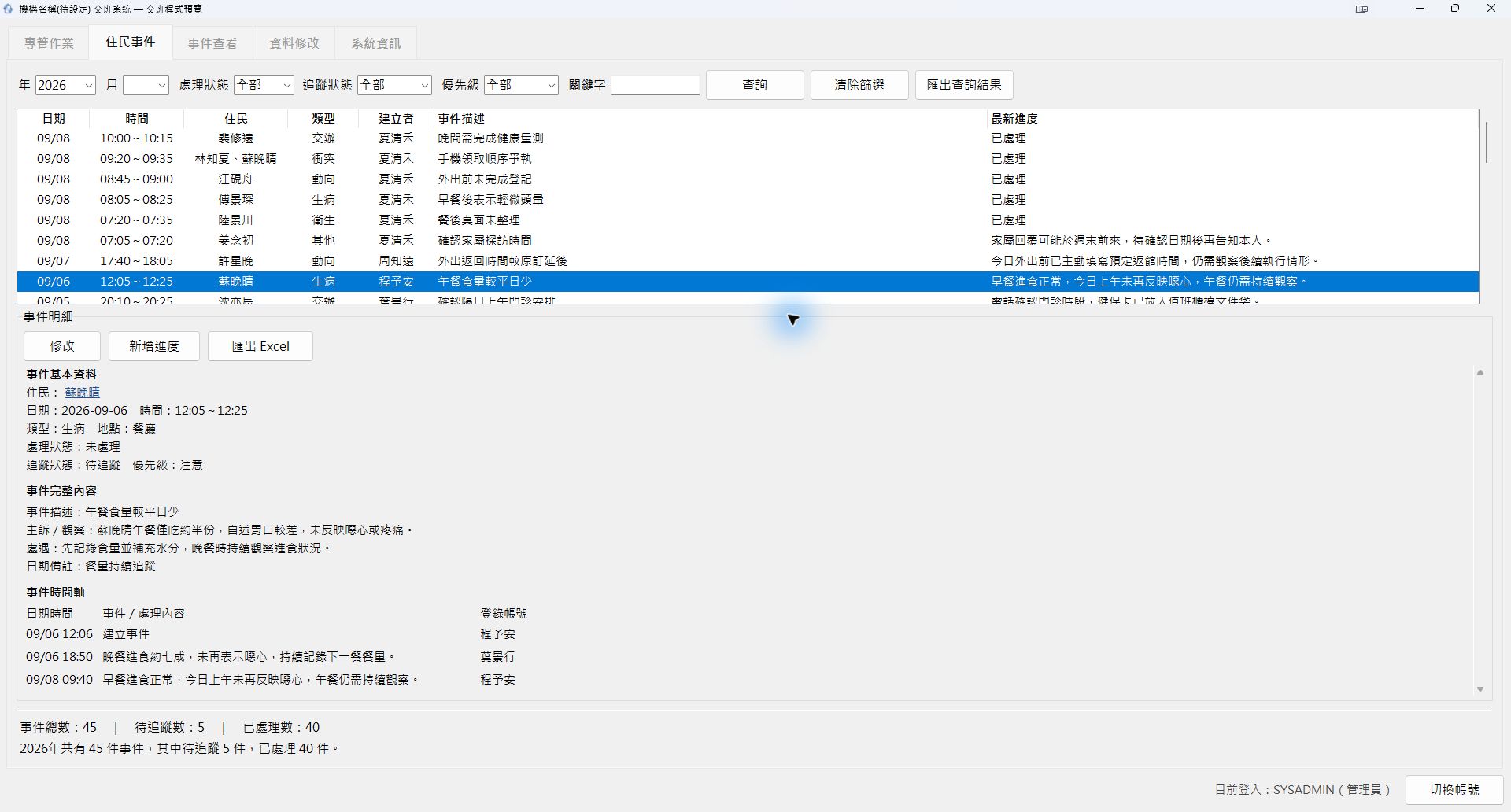
Find service-user events by date, handling status, tracking status, priority or keyword.
Select an event to review the original details, observations, actions taken and subsequent progress, without searching through separate shift records.
04 / Keep work connected
A new shift.
The same context.
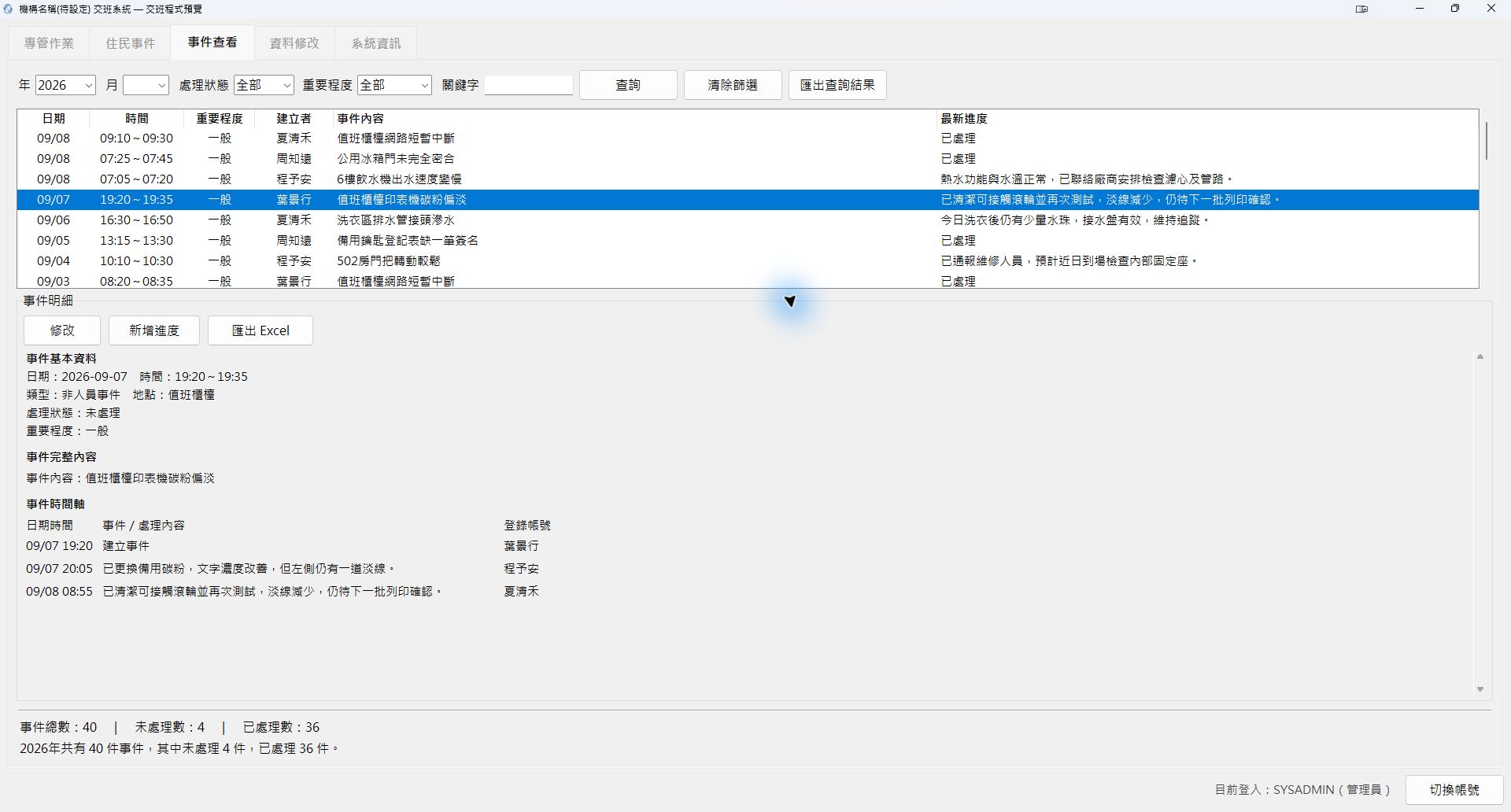
Keep adding progress to equipment, environmental and other general issues. Each update stays with the original event, helping the next shift see where things stand.
05 / See the month
One service user.
A month in view.
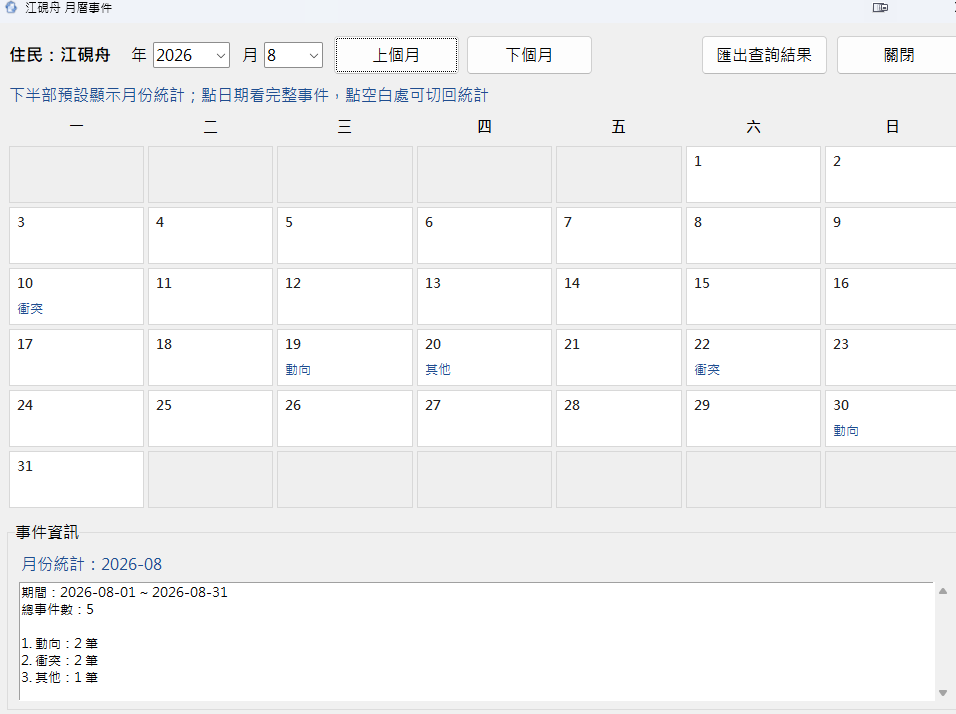
The service-user calendar places events on the dates they happened, with monthly totals and event categories. Review what happened over a period of time or switch months to look back further.
Tools for everyday work
Handovers
- Weekly and monthly handover views
- Matters needing follow-up
Events
- Service-user events
- Equipment and environmental issues
- Progress and status across shifts
Search and records
- Filtered search and previous records
- Excel exports of search results or individual events
Everyday administration
- Service-user, room and bed records
- Staff accounts and role permissions
- Edition-dependent backup and restore
Keep data local.
Reduce cloud exposure.
Core data is stored locally. Everyday recording, searches and handovers do not require working records to be sent continuously to the cloud. This reduces unnecessary external data transfers while keeping offline work possible.
Data security still depends on account permissions, device access, backup practices and how exported files are managed.
Working environment
| Item | Current specification |
|---|---|
| Platform | Windows desktop |
| Operation | One local computer |
| Network | Core features work offline |
| Display baseline | 1600 × 900 |
| Minimum display | 1280 × 720 |
The minimum supported Windows version, hardware requirements and data limits are still undergoing final validation.
Demo and release status
Demo edition
Explore the main workflows with built-in fictional service users, rooms, beds, events and handover records, without entering real personal data.
Download DEMOFull version
Core features are complete. Final real-device checks, installation testing and manual acceptance are in progress.
Not yet releasedLet's talk
Could this fit your organisation?
If you currently use Excel, paper or messaging apps for handovers, tell me how your team works. We can explore whether this tool would be a useful fit.